It learns the glass, not the screen.
Sample the whole monitor and you light the room with your dashboard, mirrors and HUD as much as the track. Race Ambiance FX works out where your car's windows are while you drive, and lights your room from what's actually outside them. Switch cars and it learns the new cockpit too, then remembers each one. You never draw a zone.
Night races look like night. Because it noticed.
A response tuned for a floodlit straight looks wrong at noon, and vice versa. Race Ambiance FX crossfades its own response as the scene shifts between day and night — Le Mans at 3 a.m. reads differently than Sebring at 2 p.m., without you touching a slider mid-stint.
When something moves on screen, it moves in your room.
Ambient light only sells the illusion if it keeps up. Race Ambiance FX reacts to on-screen motion around thirty times a second, and it keeps track of direction: a car passing on your left passes on your left.
The actual software.
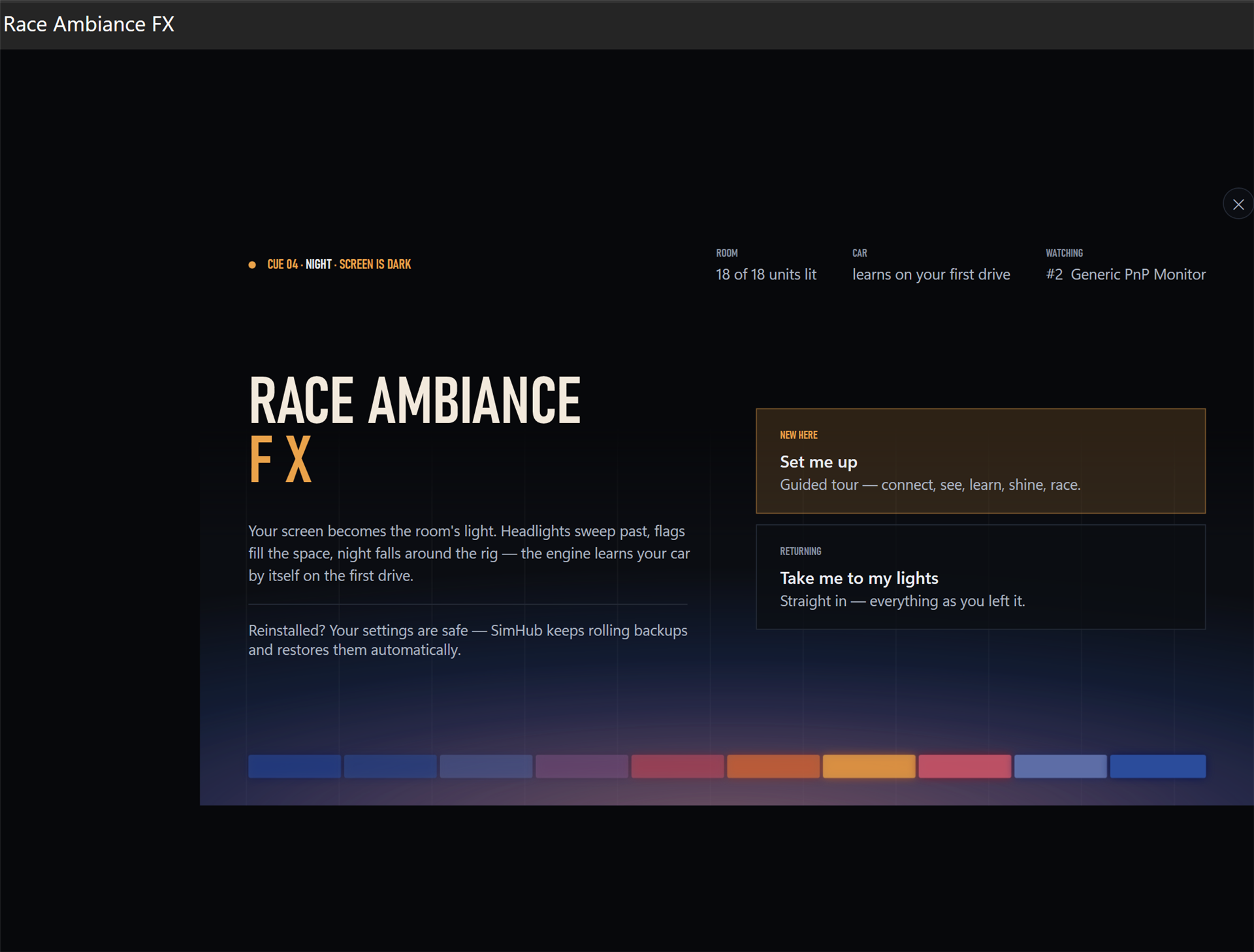
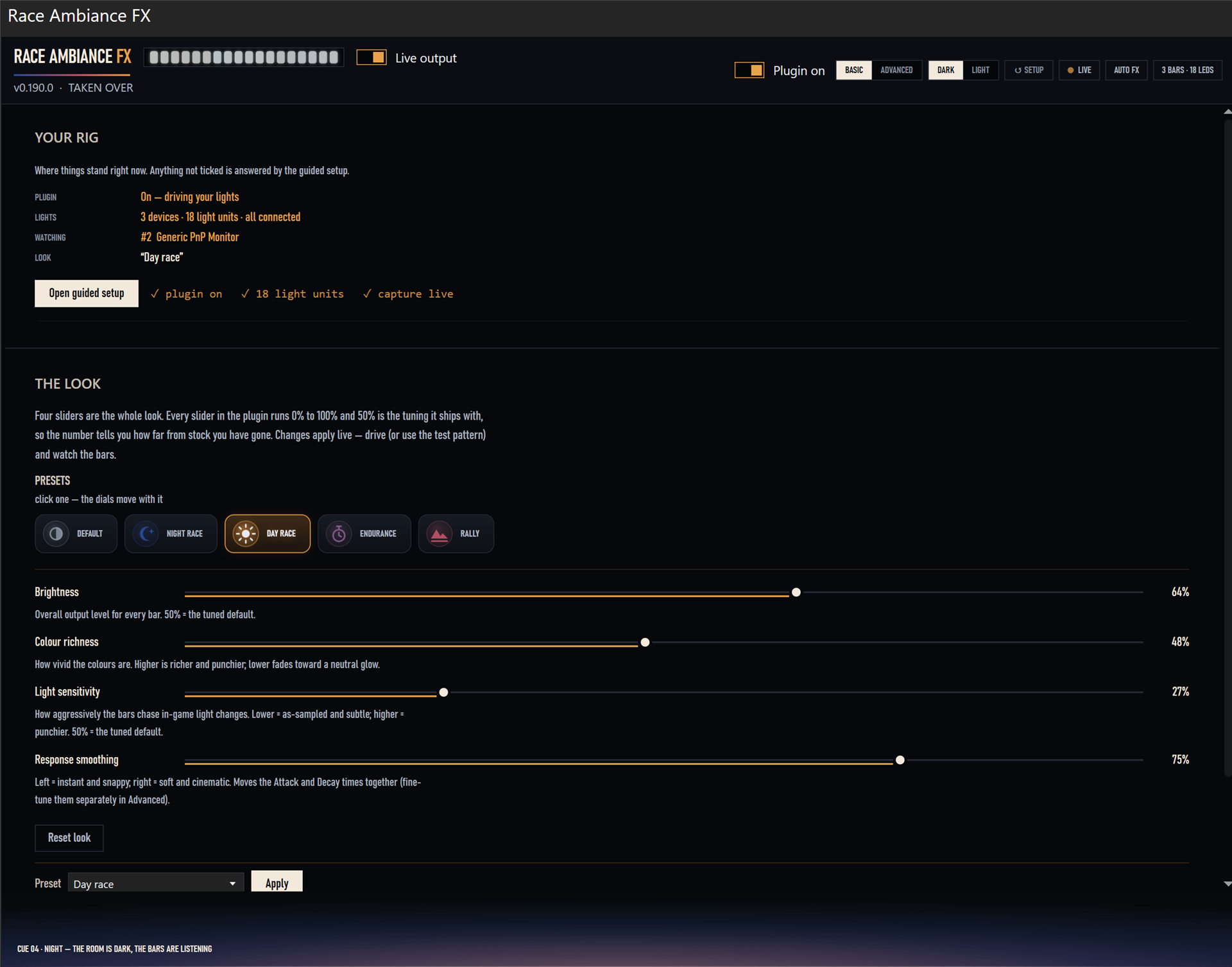
A rig status you can read at a glance, five presets — Default, Night race, Day race, Endurance, Rally — and four sliders. Every slider runs 0–100% with the tuned default at 50%, and changes apply live while you drive.
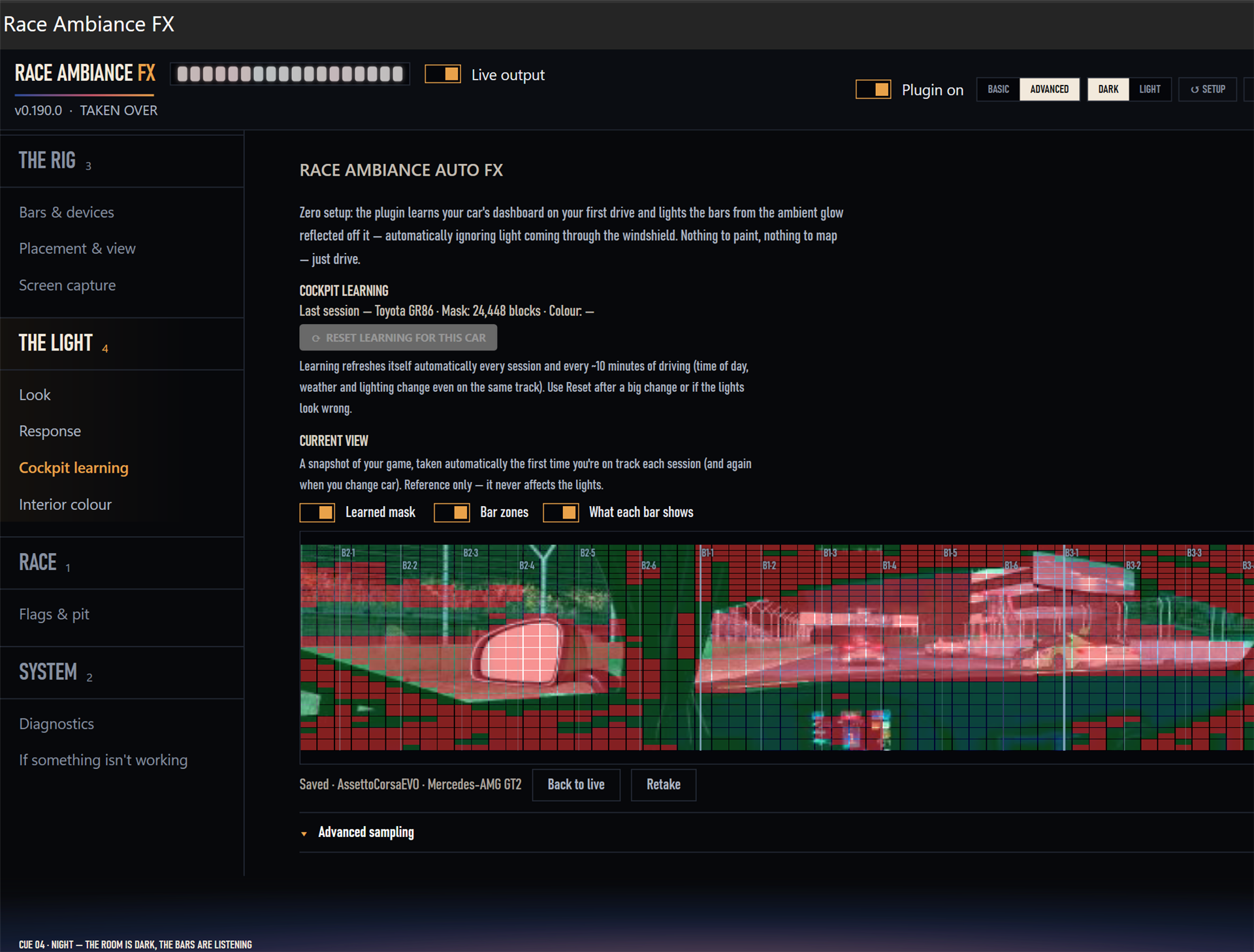
Green is the cockpit, red is the world through the glass — this Mercedes-AMG GT2's mask, 10,247 blocks across a triple-screen rig, was learned while driving, not drawn. Every car gets its own, kept in a learning library you can review, retake or reset, and the bars can follow the cockpit's reflected glow, the windows, or the whole screen.
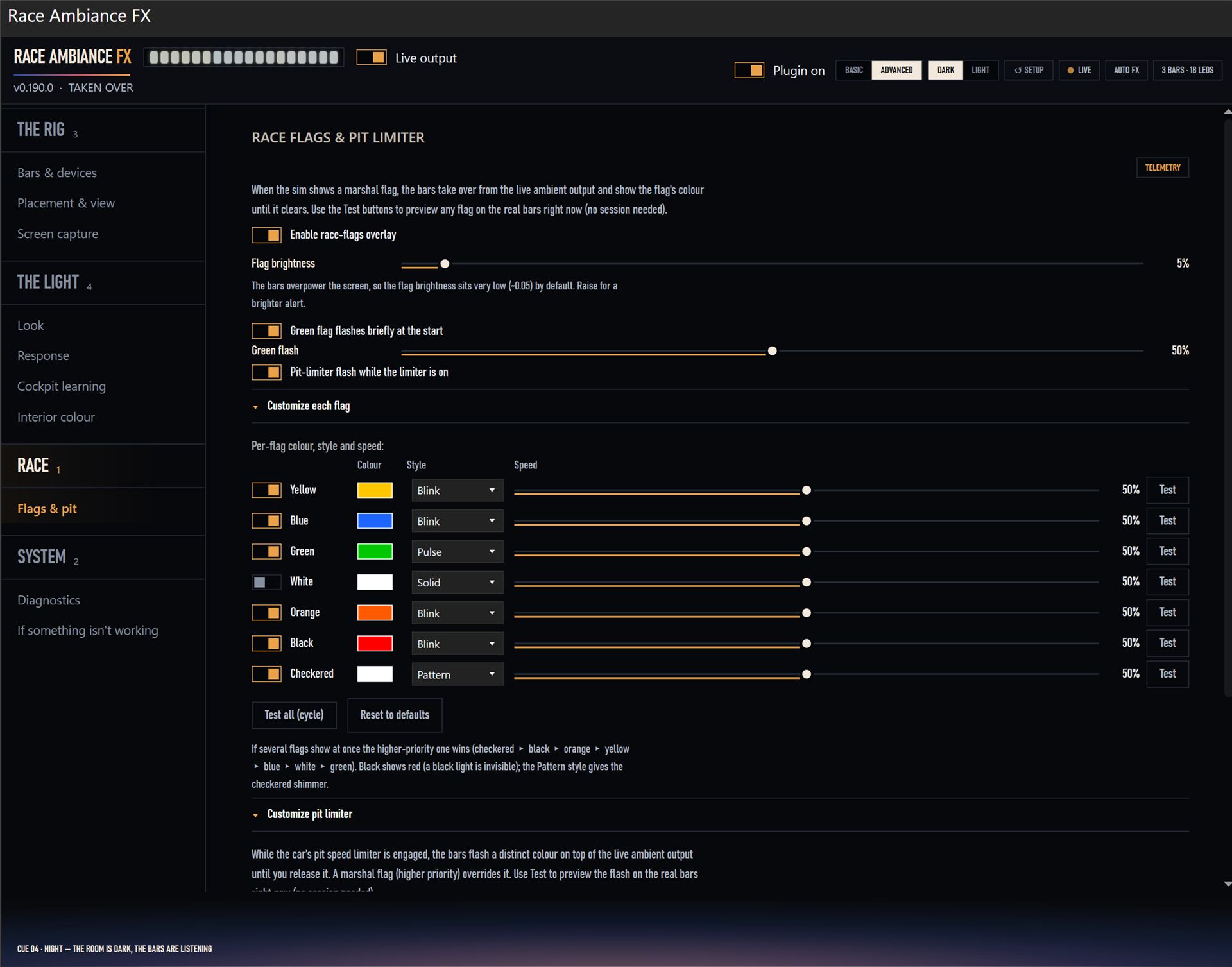
When the sim shows a marshal flag, the bars take over until it clears. Every flag has its own colour, style and speed — and a Test button that fires your actual bars right now, no session needed.
The boring reliability stuff.
- Per-car memory. The cockpit mask and interior colour are stored per car. Come back to a car next month and it's already dialed in.
- Interior colour, your way. Learned automatically from the car, or set your own.
- Self-healing layout. Unplug a bar, plug it back in — it re-aligns without a trip to settings.
- Your rig. Single, ultrawide and triple-monitor setups.
- Your lights. Govee, Philips Hue, Adalight — anything SimHub's Ambient Lights supports.
- Requirements. Windows, SimHub. It reads the game via live screen capture, so it lights your room from what you actually see.
Measured, not vibes.
Reactivity isn't tuned by eyeballing a wall. Race Ambiance FX is tuned against logged zone output from recorded replay footage — a measured reactivity coefficient of 0.495 at roughly 30 updates a second, with directional accuracy verified on the same logs.
Pay once.
price announced at launch
One-time purchase. AutoFX mode — the automatic system described on this page — with future updates included. No subscription, no tiers. The form above gets you one email when checkout opens.
- AutoFX mode
- Future updates included
- No subscription
Race Ambiance FX drives SimHub's Ambient Lights through internals SimHub doesn't officially document, because SimHub offers no documented interface for it. That means a SimHub update can break it — and one day, one probably will. When that happens, fixing it goes to the top of my list, and updates are already included in the purchase. I can't promise a fix lands the same day; I can promise you'll never be asked to pay for it. If that trade-off isn't for you, better you know it now than on a race night.
Be there when the checkout opens.
One email when it goes live. Nothing else, ever — and you can unsubscribe even from that.
Made by one sim racer, for sim racers.